 Buckets
Email lists from any search
Turn a search, a bucket or the map into an email list, a text or a spreadsheet file.
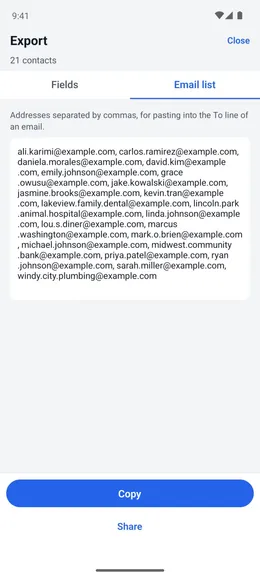
Get an email list from a search
Any list of contacts → Menu ☰ → Export…
- Open a list of contacts: a search’s results, a bucket, the Contacts screen, or the contacts on a map.
- Tap Menu ☰, then “Export…”.
- Tap “Email list” and copy the addresses into the To line of your email.
- Or tick the fields you want and tap “Share as CSV file” for a spreadsheet.